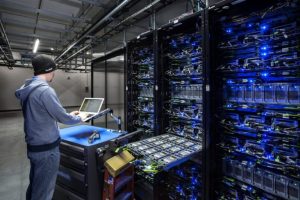

If you hire our center, we can help to enhance the learning experience and streamline administrative processes of your school. Here are the key uses of our Computer Center:
1. Computer-Based Learning:
- Access to Digital Resources: Students can access e-books, educational videos, online tutorials, and other digital resources to supplement their classroom learning.
- Research: Students can use the internet for research and projects, enhancing their knowledge and understanding of subjects.
- Educational Software: Use of subject-specific software (e.g., simulation programs for science or interactive math tools) to reinforce concepts taught in class.
2. Examination and Assessment:
- Computer-Based Testing: The center can facilitate online examinations, quizzes, and assessments, making grading more efficient and transparent.
- Exam Preparation: Students can practice with online mock tests and previous years’ question papers in preparation for board exams.
3. ICT (Information and Communication Technology) Education:
- Computer Literacy: Teaching students essential skills in word processing, spreadsheets, presentations, and internet usage.
- Programming and Coding: Offering courses in programming languages like Python, Java, or HTML to prepare students for technology-driven careers.
- Graphic Design and Multimedia: Introducing students to graphic design, video editing, and multimedia production tools.
4. Project Work:
- Practical Projects: Students can work on IT-related projects, including coding assignments, database management, and website development.
- Collaborative Work: The center can facilitate group projects where students work together using tools like Google Docs or other collaborative platforms.
5. Online Learning and Virtual Classrooms:
- E-Learning Platforms: Students can access online learning platforms such as Khan Academy, Coursera, or school-provided virtual classrooms.
- Virtual Collaboration: The center can enable virtual meetings or study groups for collaborative learning and peer teaching.
6. Digital Communication and Research:
- Online Communication: Students and staff can use email, discussion forums, or educational platforms to exchange ideas and stay updated on academic matters.
- Research Papers and Presentations: The center can help students create and present academic papers, PowerPoint presentations, and multimedia projects for classwork or inter-school competitions.
7. Administration and Record Keeping:
- Student Database Management: Storing and updating student records, grades, attendance, and personal information digitally for easy access.
- Financial Management: Facilitating digital fee payments, keeping financial records, and managing budgets.
By leveraging these capabilities, a senior secondary school can enhance both academic performance and administrative efficiency, while preparing students for a technology-driven world.
About The Author